






Getting Started with Oscilloscopes: A Beginner's Guide

Getting Started with Oscilloscopes: A Beginner's Guide
Oscilloscopes are one of the most powerful tools in a practical electronics lab. They let you visualize electrical signals over time, revealing not only the amplitude of a waveform but its shape, timing, and how those properties change under different conditions. If you’re new to oscilloscopes, this guide is designed to help you start quickly and build a solid foundation. By the end, you’ll know how to connect a scope, interpret basic measurements, and run a few beginner-friendly experiments that illuminate how real circuits behave.
In simple terms, an oscilloscope is a device that plots voltage as a function of time on a screen. Think of it as a TV for electrical signals, but tuned to reveal the voltage waveform instead of a video image. The horizontal axis represents time, while the vertical axis represents voltage. The trace you see is a real-time fingerprint of what your circuitry is doing. With practice, that fingerprint becomes easier to read and interpret, enabling you to diagnose problems, verify performance, and understand dynamic behavior that is invisible with a multimeter alone.
1. What is an Oscilloscope?
At its core, a basic oscilloscope accepts a signal through a probe, amplifies and conditions that signal, and then presents it as a graph of voltage vs. time on a display. There are several families of oscilloscopes, including analog oscilloscopes that continuously display the waveform, and digital oscilloscopes (DSOs) that convert the signal to digital data, store it, and then render it on a screen. Modern DSOs are extremely capable, offering features such as deep memory, multiple channels, advanced triggering, math functions, and automatic measurements. While the technical details can be complex, the essential workflow remains the same: connect, set basic controls, observe, and measure.
Most beginner projects involve signals in the few hertz to several megahertz range, and voltages from millivolts up to a few tens of volts. Your first experiences will typically be with simple sources like function generators, signal generators, microcontroller output pins, or an evaluation board. With a little organization and a few safety rules, you’ll be up and running in a short time.
2. Core Components and How They Work
Understanding the anatomy of an oscilloscope helps you use it more effectively. The common building blocks include:
- Display: The screen or panel where the waveform is drawn. In a digital scope, the display is refreshed rapidly as data is acquired and processed.
- Probes: The physical cables that connect the oscilloscope to your circuit. Probes include a tip for the signal and a ground clip. A good probe minimizes loading on the circuit and maintains signal integrity.
- Front panel controls: Knobs and buttons for adjusting vertical scale (volts per division), horizontal scale (time per division), trigger level and mode, and various measurements or cursors.
- Trigger system: The trigger determines when the waveform is “captured” and stabilized on the display. Proper triggering is essential, especially for repeating signals like a square wave, to avoid a drifting or rolling trace.
- Input channels: Most oscilloscopes have one or more channels, each with its own probe input. Some scopes have single-channel capability, while others offer two or more channels for simultaneous measurements.
- Probe compensation network: Probes include a small compensation adjustment to match the probe’s response to the oscilloscope’s input. Proper compensation ensures that square waves display as clean, non-distorted edges.
Connecting and using these parts correctly is the first step to getting meaningful results. The rest of the guide builds on this foundation with practical steps and examples you can try right away.
3. Types of Oscilloscopes
There are several types of oscilloscopes, each with its own strengths. For beginners, the most common are:
- Analog oscilloscope: An older yet still valuable instrument that directly visualizes voltage as an analog trace on a cathode-ray tube. It is fast and simple for certain demonstrations, but lacks some of the advanced features of modern DSOs.
- Digital Storage Oscilloscope (DSO): The standard in most labs today. It converts signals into digital data, stores them, and provides a wide range of features such as long memory, multiple channels, math functions, and sophisticated triggering. DSOs are excellent for learning and for handling complex or noisy signals.
- Mixed-signal oscilloscope (MSO): Combines multiple analog channels with digital channels, enabling you to observe both analog waveforms and digital logic signals. This is particularly useful when debugging microcontrollers and embedded systems where you need to see the signal timing alongside the logic states.
- handheld and USB-powered oscilloscopes: Lightweight, portable options that are great for field work or quick checks. While they may have fewer features than benchtop models, they cover many common beginner use cases.
For most beginners, a compact, two-channel digital storage oscilloscope is a good starting point. It provides essential features, a manageable learning curve, and the flexibility to grow with more challenging projects.
4. Key Specifications to Understand
To choose and use an oscilloscope effectively, you should become familiar with a few core specifications. While you don’t need to memorize every number, you should know what each parameter means and how it affects your measurements.
- Bandwidth: The highest frequency at which the scope can accurately reproduce a signal. A common rule of thumb for beginners is to select a scope with bandwidth at least 5x the highest fundamental frequency you expect to measure, to reduce attenuation and distortion of the signal’s edges.
- Sample rate: How many samples per second the scope can take. Higher sample rates allow more accurate reconstruction of fast-changing signals. For continuous waveforms or slowly varying signals, a lower sample rate may be sufficient, but for fast digital signals you’ll want a higher rate.
- Channels: The number of input channels the scope supports. More channels are convenient for comparing two signals side by side, such as a circuit’s input and output.
- Probes and input impedance: Probes are rated for specific attenuation (for example, 1x, 10x) and input impedance (commonly 1 M? for 1x or 9 M? for 10x). The probe's attenuation affects the voltage you measure, so you must account for it when reading values. High-frequency performance and compensation quality are also influenced by the probe.
- Vertical sensitivity (volts/div): Determines how many volts are represented per division on the vertical axis. A larger volts/div setting means a smaller displayed amplitude; a smaller volts/div setting magnifies the signal.
- Timebase (time/div): Determines how much time is represented per horizontal division. This controls how fast or slow the waveform is displayed along the time axis.
- Triggering: Trigger types (edge trigger, pulse width, video, etc.) and the trigger level. A stable trigger is essential to view repetitive waveforms clearly; mis-triggering can cause rolling or unstable traces.
- Memory depth: How much data the scope can store per channel. Deep memory allows you to capture long sequences at high sample rates, which is useful for debugging rare events or long-running processes.
- Persistence and display options: Some scopes offer different persistence modes, color palettes, and display modes to help you visualize signals, especially noisy signals or jitter.
As you shop or evaluate a scope, you’ll often see these specs listed in product descriptions. Remember that practical use is about how the scope feels when you’re measuring real circuits, not just the number on a spec sheet. A well-matched setup with an appropriate probe will yield accurate, repeatable results even with modest equipment.
5. Setting Up Your First Oscilloscope
Follow these steps to get started with a typical two-channel digital storage oscilloscope. If your model differs slightly, consult the user manual for specifics, but the general workflow remains the same.
1) Safety first: Place the oscilloscope on a stable bench, away from liquids, and ensure it is properly grounded. If you are using a powered USB scope, ensure your computer is grounded as well. Do not touch exposed metal parts while cables are connected to live circuits. Use proper eye protection if you’re working with high-energy or high-voltage systems.
2) Power up and warm up: Turn on the oscilloscope and wait a few moments for the electronics to stabilize. Some scopes provide a warm-up indication.
3) Connect a probe and reference ground: Attach a probe to Channel 1. Clip the ground lead to the circuit’s reference ground at a convenient point. A short, solid ground connection improves stability and reduces noise. If you can, use a ground spring or a ground ring to keep the ground loop small and avoid creating large loops that pick up interference.
4) Connect to a known signal: For your first measurement, connect the probe tip to a known, safe signal. A function generator offering a clean sine wave at a low frequency, or a microcontroller pin outputting a test waveform, works well. If you don’t have a signal generator handy, many microcontroller boards can provide test signals (tone, square wave, PWM) you can observe.
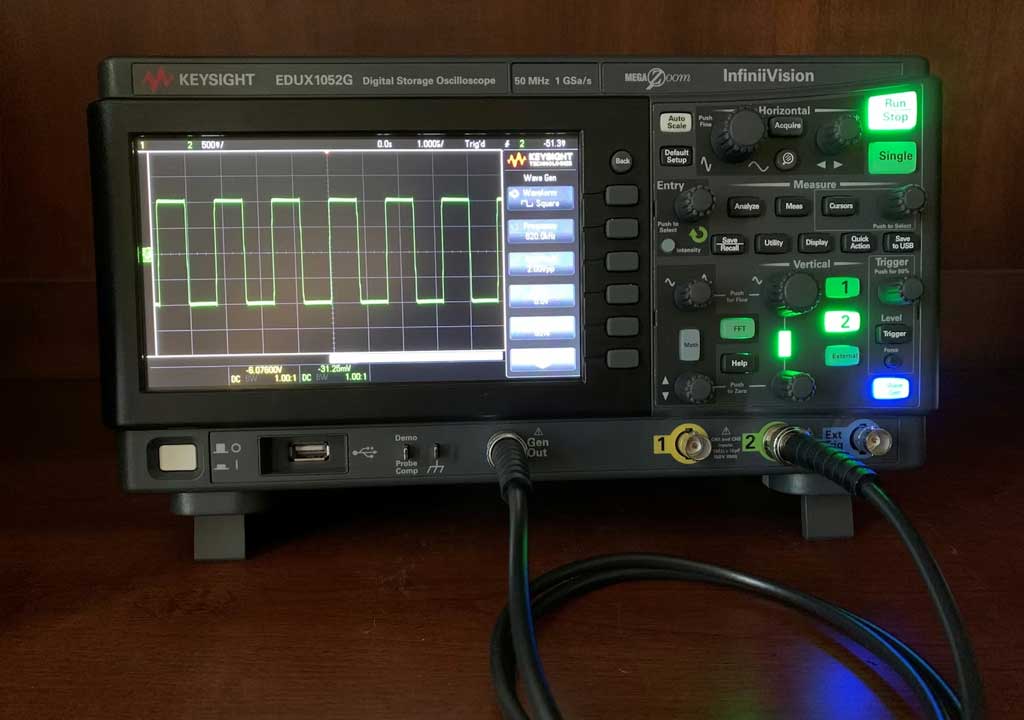
5) Probe compensation: Before making precise measurements, you should compensate the probe so that a square wave appears with clean, vertical edges. Use the oscilloscope’s built-in CAL output (often a 1 kHz or 1 MHz square wave) to test. Connect the probe tip to the CAL output with the probe’s ground connected as well. Adjust the compensation screw on the probe until the square wave test signal has perfectly flat, vertical edges. This step is crucial for accurate measurements, especially at higher frequencies.
6) Set initial scales: Start with a safe, moderate vertical scale, such as 1 V/div, and a horizontal scale of 1 ms/div for a 1 kHz signal. Engage DC coupling for a start, which shows the true DC level of your signal. If the signal looks flat or off-center, adjust the vertical offset to bring it in the middle of the screen.
7) Trigger the waveform: Choose a suitable trigger mode. For a clean, repeating waveform, you’ll typically use “Edge Trigger” with the trigger source set to Channel 1, and the trigger level set somewhere near the signal’s mid-point. You want the waveform to be stationary on the screen, not wandering up and down. If the trace drifts, adjust the trigger level or switch to a more precise trigger type if available.
8) Observe and refine: Now you should see a trace on the display. If you don’t, double-check ground connections, probe compensation, and the trigger settings. If you see a drifting or noisy trace, try increasing the sample rate or enabling a small amount of averaging or filtering if your scope supports it. For a slower signal, you might adjust time/div for a clearer view of the waveform.
9) Channel basics: If your scope has more than one channel, you can add a second signal by connecting a second probe to Channel 2. Use different colors to distinguish channels on the display. The fetch/record operation remains similar; you can compare input and output signals directly in real time.
10) Save and document: Many DSOs let you save screenshots or raw data to a USB drive or to a computer, which is extremely helpful for documenting results or sharing with teammates. Consider adding a short label or annotation to your saved captures to remind yourself what you measured and under what conditions.
6. A Simple Measurement: Measuring a Square Wave
A square wave is a great starting point because it has fast edges that test the scope’s bandwidth and rise-time performance. Here’s a simple workflow to measure a square wave from a microcontroller or function generator.
1) Connect the square-wave source to Channel 1 input. If you’re using a microcontroller, a PWM pin or a digital output configured to toggle at a fixed frequency works well. Ensure the amplitude is within the scope and probe’s safe range, typically under 5 V peak for most hobbyist setups.
2) Adjust the vertical scale so the waveform fills a reasonable portion of the screen without clipping. For example, if the signal swings between 0 and 3.3 V, you might start with 1 V/div or 0.5 V/div depending on how tall you want the trace to be.
3) Set the horizontal scale to capture at least several periods on the screen. For a 1 kHz square wave, 1 ms/div is a good starting point, so you can easily visualize the rising and falling edges and determine the period visually.
4) Trigger stabilization: Use an edge trigger on Channel 1 with a level near the midpoint of the waveform. A stable trigger will hold the edges in a fixed position.
5) Read basic numbers: Most DSOs offer automatic measurements, such as frequency, period, high/low levels, and duty cycle. If your scope provides these features, enable them to read the approximate values. Manually measuring the period by counting divisions can also give you a rough estimate, especially when you’re not yet using the automatic measurement features.
6) Edge quality and bandwidth: If you notice rounded or sloped rising/falling edges, consider increasing the bandwidth or reducing the source impedance. A higher bandwidth scope will display faster edges more accurately, while the source impedance and probe capacitance affect impedance matching and the observed edge shape.
7) Verification: If you have a known TTL or CMOS logic level signal, compare the measured amplitudes (low and high levels) to the expected levels. This helps you verify the integrity of your driving circuitry and supply rails.
7. Measuring a Sine Wave and a Microcontroller Signal
Beyond square waves, sine waves are common in audio, communication, and many sensor applications. Here’s a straightforward approach to measuring a clean sine wave and a microcontroller signal.
1) Sine wave from a function generator: Connect Channel 1 to the sine wave. Start with a modest amplitude and frequency (e.g., 1 V peak-to-peak at 1 kHz). Adjust vertical scale so the sine wave is well within the display, without clipping.
2) Observe the waveform shape: A clean sine should display as a smooth, continuous curve with no flat tops or jagged edges. If you see distortion, check your source, probe compensation, and bandwidth limitations. It may indicate loading effects or an insufficient input impedance match.
3) Measure parameters: Use automatic or manual measurements to extract peak-to-peak voltage, RMS, and frequency. If your scope supports math operations, you can perform a simple Vpeak-to-peak or frequency calculation as needed.
4) Microcontroller signals: When measuring a microcontroller pin (for example, a PWM output), you’ll often see a PWM waveform: a series of pulses with variable duty cycle. Set the vertical scale to accommodate the amplitude (for a 3.3 V pin, something like 1 V/div or 2 V/div might work). For a stable observation, ensure your ground is solid and the trigger is set to capture a single, periodic waveform.
5) Duty cycle analysis: If your scope offers a measurement for duty cycle, you can observe how changes in timer settings or code affect the output. You can also visually estimate the high-time vs low-time ratio by counting divisions between edges, though automatic measurements are more precise and less error-prone.
8. Important Troubleshooting Tips
Even with careful setup, you’ll run into common issues. Here are practical tips to troubleshoot typical oscilloscope hurdles:
- No trace or a blank screen: Check the probe connection, verify the channel is enabled, and make sure the trigger is set to an appropriate level. Confirm the probe is plugged into the correct channel input and that the ground clip is connected to the circuit ground.
- Noisy trace or jitter: This could be ground loops, EMI, or inadequate shielding. Shorten ground leads, use a proper shielded coax or ground spring, and ensure the circuit isn’t picking up stray noise. If available, enable averaging or low-pass filtering to smooth the trace for measurement purposes.
- Distorted edges: Verify probe compensation, and ensure your input impedance matches the source. If you’re using a 10x probe, ensure the probe’s attenuation setting is configured in the oscilloscope to 10x as well. Bandwidth limitations or a too-low sample rate can also distort fast edges.
- Trigger instability: If the trace drifts or wanders, adjust the trigger level or switch trigger modes (edge, rising/falling edge, or specialized triggers) to stabilize the waveform. For non-repetitive events, consider using a single-shot or non-repeat trigger if your scope supports it.
- Grounding issues: Always connect a dedicated ground reference to the circuit ground, not just a nearby metal surface. Avoid making long ground connections that can create loops and noise.
9. Common Mistakes New Users Make
Even experienced hobbyists fall into a few traps when starting out. Being aware of these helps you avoid them and learn faster:
- Ignoring probe compensation: A badly compensated probe yields distorted waveforms, especially on fast edges. Always calibrate with the CAL signal when you change probes or scale ranges.
- Viewing the wrong axis: Misinterpreting volts/div or time/div can lead to incorrect conclusions about amplitude or frequency. If in doubt, reset to a conservative scale and then re-tune to fit the waveform nicely on screen.
- Overloading the inputs: Exceeding the probe or input range can clip the signal, distort measurements, or even damage the scope. Use a probe with appropriate attenuation and avoid high-voltage circuits unless you’re sure of the impedance and safety considerations.
- Skipping ground checks: Improper grounding can introduce noise and misleading results. Always connect a proper ground reference for accurate measurements.
- Relying solely on auto measurements: Auto measurements are helpful, but they can be fooled by noise, aliasing, or unusual waveforms. Cross-check with manual estimates when needed.
10. Safety and Care
Safety matters in any electronics lab. Here are practical guidelines to keep you and your equipment safe:
- Use appropriate probe types and ratings for the voltages you’re working with. If you’re in doubt, start with conservative settings and increase cautiously.
- Ground clips should be connected to a proper reference point. Do not clip onto hot chassis or live points without understanding the potential risk.
- When probing power rails, be mindful of capacitors and energy storage that can cause a sudden voltage surge. Discharge capacitors safely where appropriate and avoid touching exposed terminals.
- Keep your workspace clean and organized. A clutter-free bench reduces the risk of accidental shorts and makes it easier to manage cables and probes.
- Protect the oscilloscope and probes from physical damage. Avoid bending probes beyond their mechanical limits and store them properly when not in use.
11. Practical Projects to Build Confidence
Once you’re comfortable with basic measurements, here are several beginner-friendly projects that help reinforce your understanding and provide tangible results. Each project builds on the same workflow: connect, calibrate, observe, measure, and interpret.
- Measure a 1 kHz sine wave from a function generator and compare the measured amplitude to the expected value. Experiment with different amplitudes and observe the effect on the waveform on screen. Try AC coupling if you want to remove the DC component and see how the waveform rides on a drifting baseline.
- Analyze a PWM signal from a microcontroller. Observe how duty cycle changes with code and how that translates into the average voltage at the speaker or motor driver. For audio or motor applications, you can explore how high-frequency components map to the audible range or to motor behavior.
- Capture a startup sequence in a circuit containing a microcontroller and peripheral devices. Use single-shot triggering to observe the timing relationships between signals, such as reset lines, clock edges, and enable signals.
- Compare signals on the input and output of a simple RC or RLC circuit. Observe how phase and amplitude shift as the frequency changes, reinforcing the concept of impedance and frequency response.
12. Next Steps and Practice How-To
As with any instrument, the best way to learn an oscilloscope is through hands-on experience. Here are some practical tips to extend your practice beyond this guide:
- Practice with simple, safe signals first. Build up to more complex waveforms as you gain confidence.
- Keep a notebook of your measurement setup and results. Note the probe type, attenuation, scaling, and trigger settings you used for each observation. This habit will help you reproduce results and communicate findings more effectively.
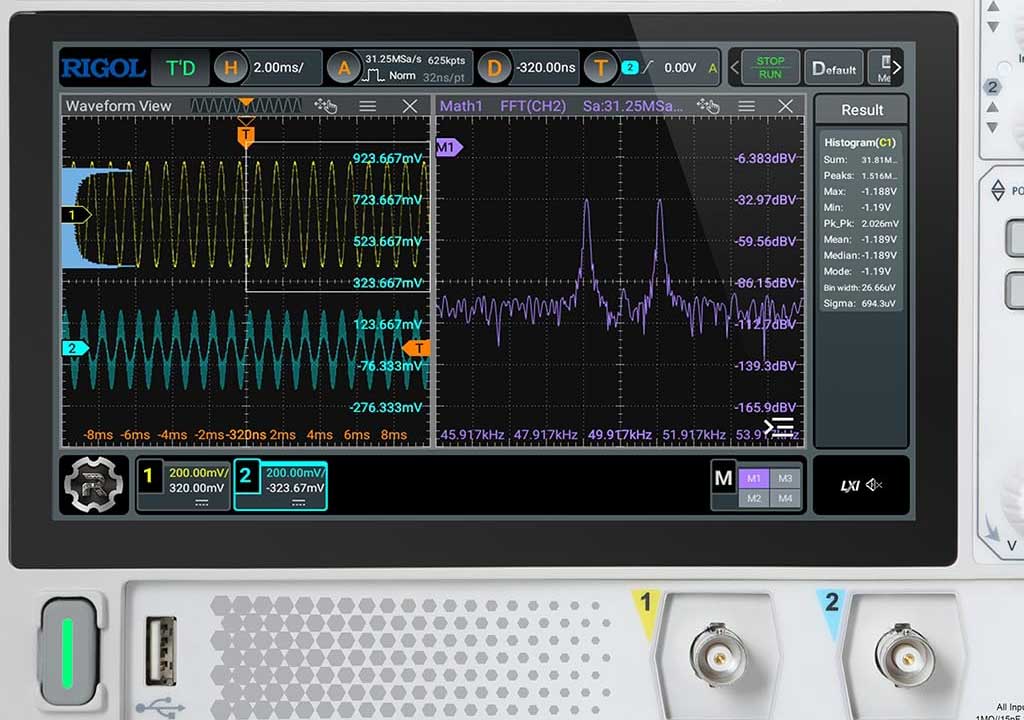
- Explore the scope’s built-in features. Many DSOs include a suite of automatic measurements (frequency, period, RMS, duty cycle, rise time) and math functions (adder, subtractor, FFT). While you don’t need to master every function immediately, gradually exploring these features will broaden your capability.
- Use sample projects and tutorials from your scope’s manufacturer. These materials often include practical examples, tips, and best practices tailored to your model.
- Join online communities or local maker groups. Sharing your captures and asking questions accelerates learning and helps you see how others approach similar problems.
13. Quick Reference: A Minimal Checklist for Beginners
Before you start a measurement, keep this quick checklist in mind:
• Ensure safety and proper grounding.
• Connect to a safe, known signal for initial testing.
• Calibrate the probe with the CAL signal.
• Set reasonable vertical and horizontal scales.
• Choose an appropriate trigger type and level.
• Enable relevant measurements (frequency, amplitude, duty cycle) if available.
• Validate the displayed waveform against expected behavior.
14. Conclusion
Getting started with an oscilloscope is less about memorizing a long list of specs and more about developing a practical approach to observing how reality behaves in your circuits. With a little setup discipline—proper grounding, careful probe compensation, thoughtful trigger choices, and patience when interpreting traces—you’ll turn a mysterious squiggly line into a clear story about your circuit’s performance.
As you practice, you’ll gain intuition for how signals should look at different frequencies, amplitudes, and loading conditions. You’ll learn to ask the right questions about a waveform: Is this edge fast enough? Is the amplitude within the expected range? Does the timing match the design intent? Each measurement you perform adds to your understanding and confidence as an electronics hobbyist, student, or professional engineer.
Congratulations on taking the first step. With the fundamentals in place, you’re ready to explore more advanced projects, experiment with more capable scopes, and tackle increasingly complex systems. The oscilloscope is not just a tool—it’s your window into the dynamic world of electronics, and with practice, it becomes your most trusted companion for discovery and learning.
LIKED THIS ARTICLE? SHARE IT: